Authorization
The authorization server exposes OpenID-configuration (well known configuration) which provides configuration information about the Identity provider (IDP).
Read more about OpenID-configuration here.
Íslandsbanki's OpenID configuration
Authorize With Postman
This section explains how users can authorize and get access token to use our rest api's. We will be using Postman for demonstration purposes.
Download PostmanThis demo uses Cards api for demonstration purposes. The same proceedure applies for other api's.
Start by setting up the environment variables client_id and client_secret.
When that is done, navigate to the Authorization tab.
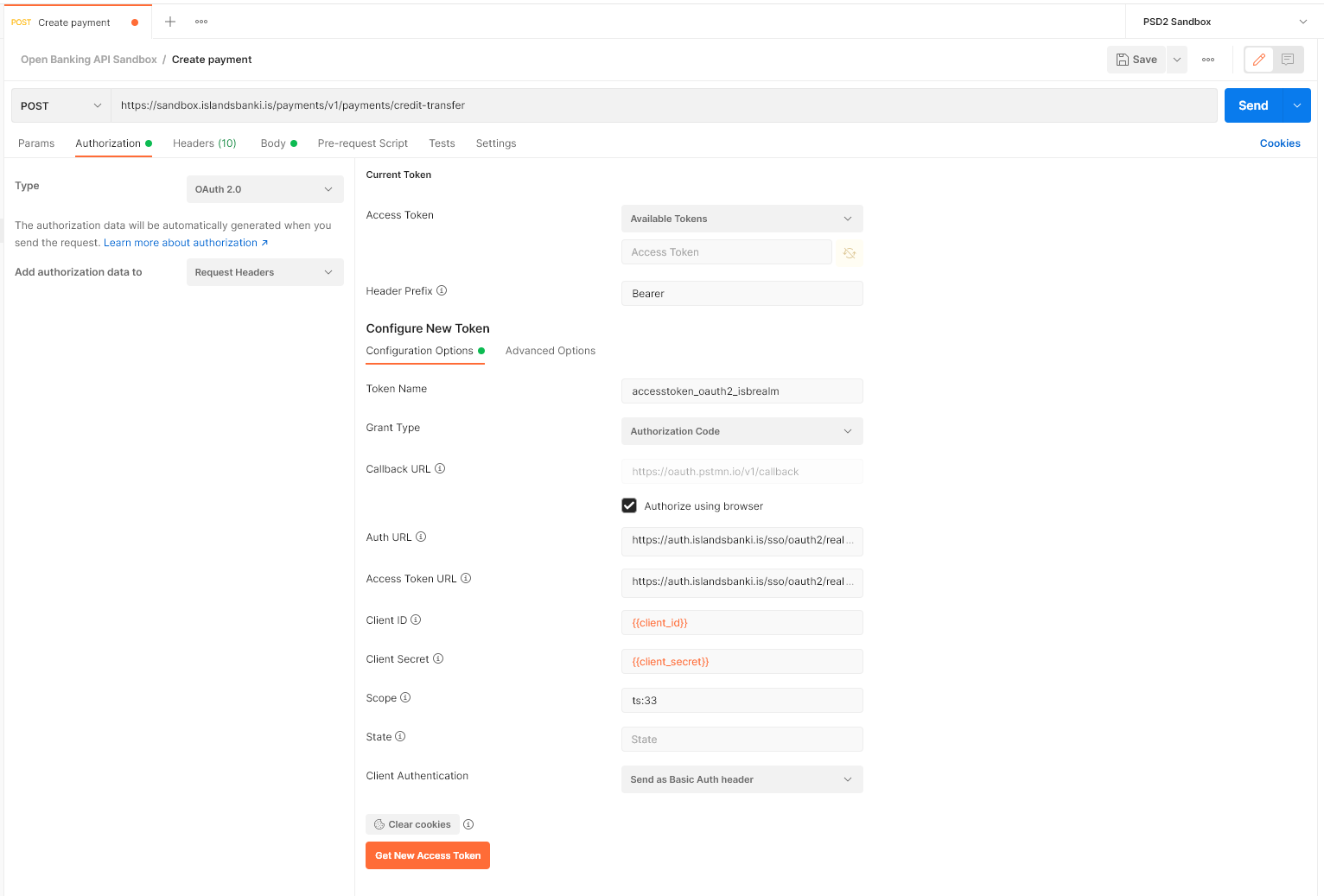
Press Get New Access Token to start the authorization flow. The login page should open up in your default browser.